
Trade Manager / Prop Risk Panel
An MT5 utility that shows today’s equity and daily drawdown against a prop-style limit, then hard-stops (kills) new risk when that limit trips. Thin SL/TP, break-even and partial helpers sit beside the kill shell.
Not currently on public sale.
Notify me when Trade Manager Prop Risk is live on MQL5 Market Install & FAQ Back to products
MQL5 Market product 205646 · list target $79 — Market will be the paid path when public purchase reopens. This page is waitlist / FAQ only.
- FormatMT5 utility (EX5)
- List target$79 USD
- StatusNot on public sale (waitlist)
- Planned fulfillMarket auto-activation
- License emailNone — not required
quantkit.co does not sell a second copy of this Expert. When public purchase reopens, MQL5 Market (product 205646) will be the only paid path.
What it is
A prop daily-DD panel and kill shell for MetaTrader 5 — not a signal robot and not a full Trade Assistant clone.
-
Prop daily-DD panel
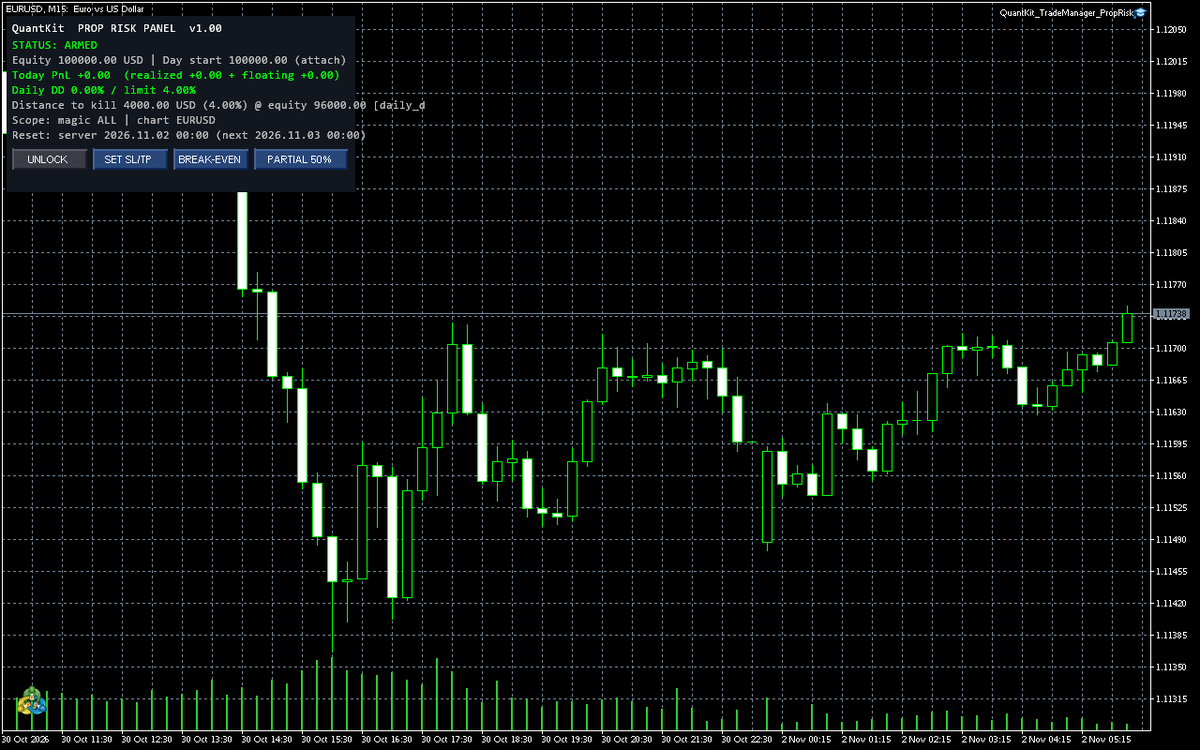
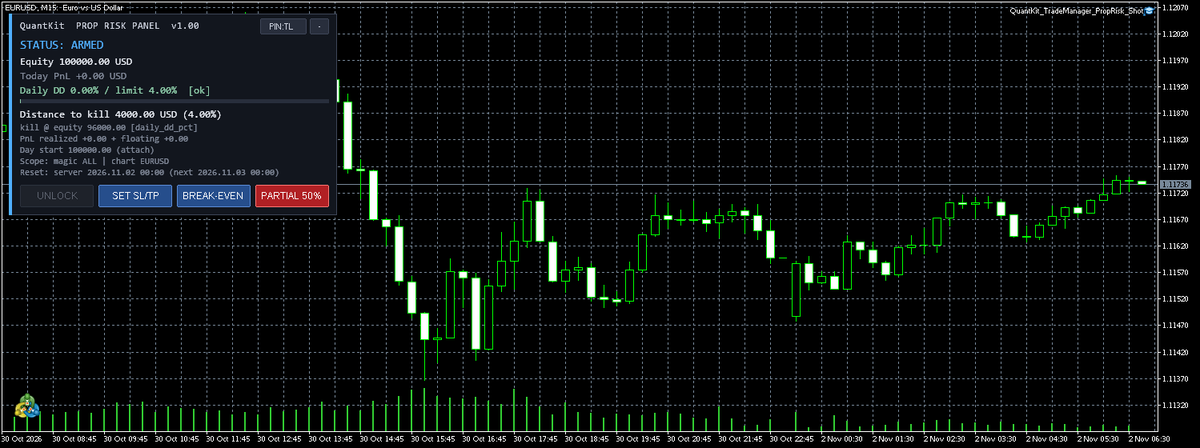
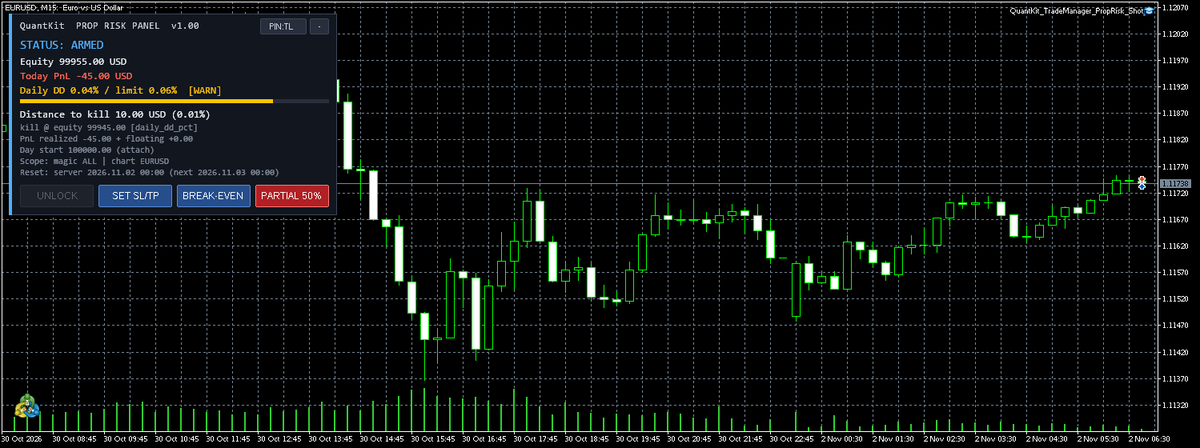
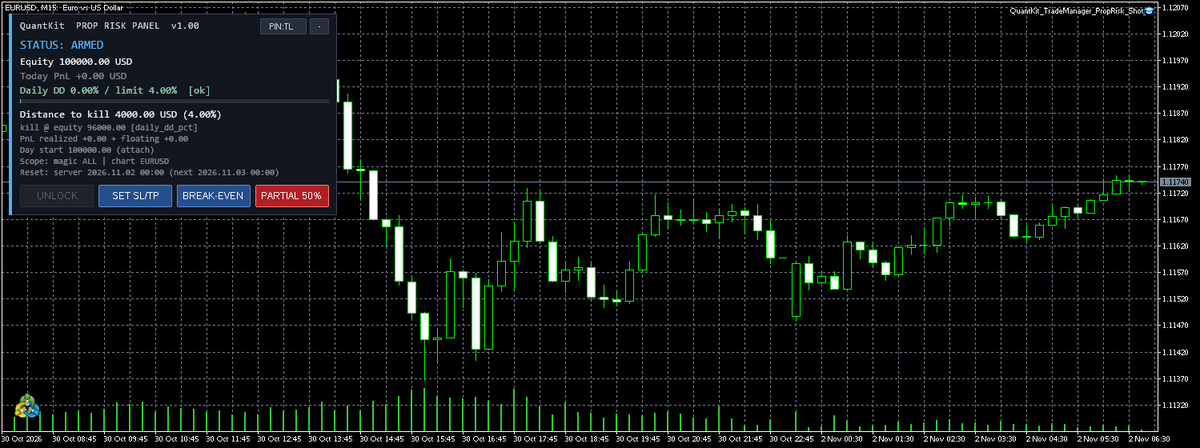
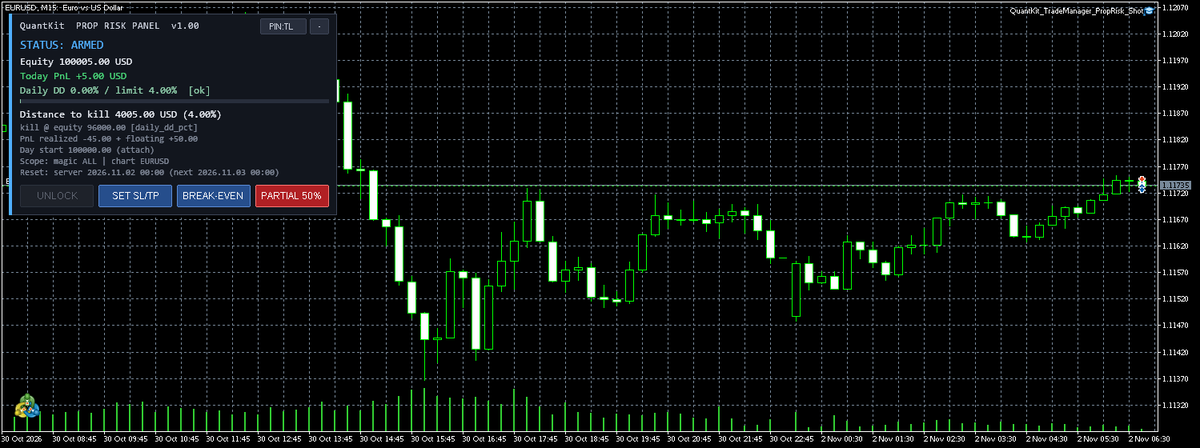
Live equity, today’s realized and floating PnL, daily drawdown % versus your configured limit, and distance to the kill threshold on the chart.
-
Kill shell
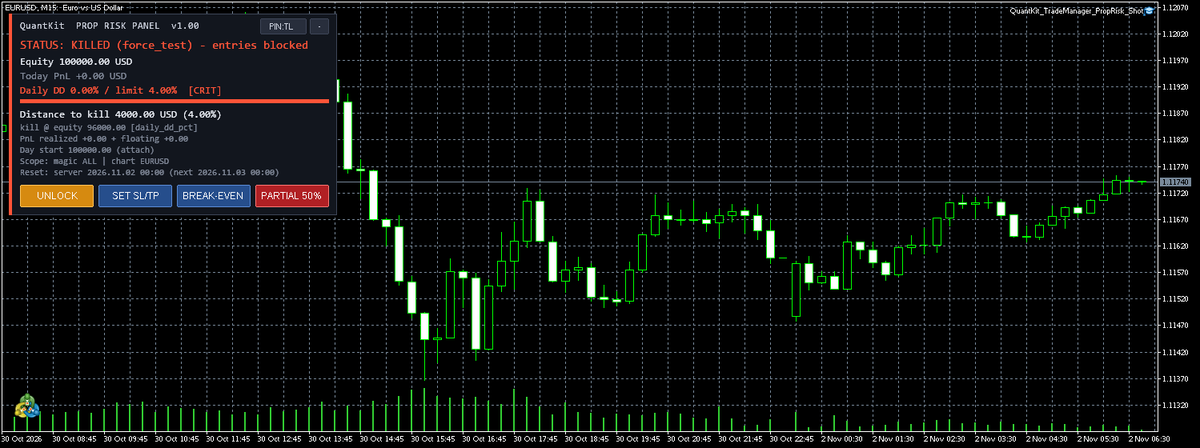
When daily DD hits the limit, the Expert closes scoped positions and blocks new market and pending entries until the day resets or you unlock manually.
-
Day reset and magic filter
Counters clear at the configured broker/server day boundary. Kill and helpers can be limited to a magic number and chart-versus-account scope.
-
Thin order helpers
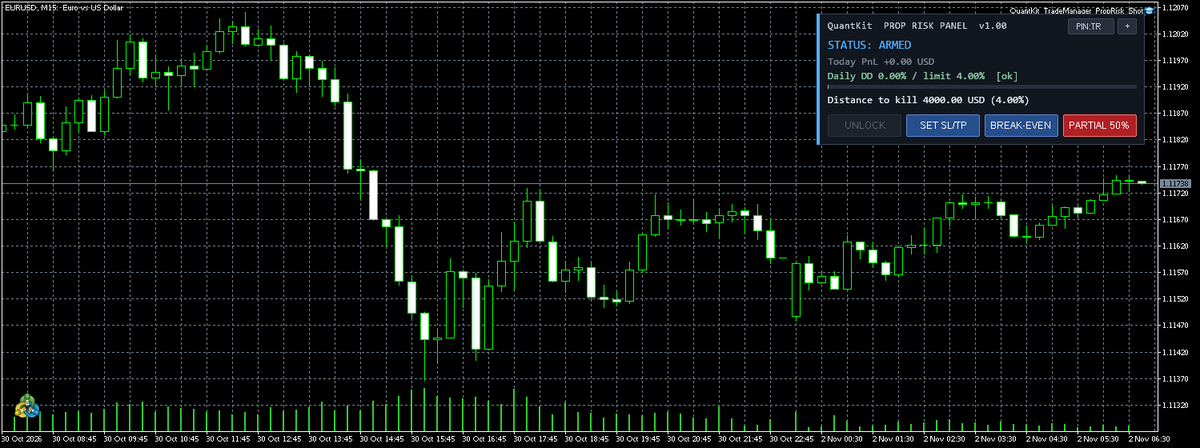
Set SL/TP on an open position, one-click break-even, and one partial-close percent. No news packs, basket dashboards, or journaling suite in v1.
Panel screenshots
Live MT5 chart captures of Trade Manager / Prop Risk Panel states.
Install (once public purchase reopens)
The Expert is not currently on public sale. When it returns, purchase and download will be only through MetaQuotes Market. This site stays install / FAQ — not a second paywall.
- Join the waitlist above. When it goes live, find it on MQL5 Market by product id 205646 (list target $79).
- Buy or rent in Market. MetaTrader installs the EX5 into your terminal.
- Attach Trade Manager Prop Risk to a chart. Set daily DD % / loss $ to match your prop rules; set magic filter if you manage one EA’s trades only.
- Leave it running. When the kill trips, wait for the day boundary or use the documented manual unlock.
Activation = Market auto-activation only, once on sale. There is no human license email, no serial you must paste, and no Whop checkout for this product. If Market shows the Expert as purchased and activated for your terminal, you are done.
FAQ
Short answers for install and fulfill. Prop rules themselves come from your firm — this tool only enforces the limits you type in.
-
Where do I buy it?
It is not currently on public sale. When it reopens, the only paid path will be MQL5 Market (product 205646 · $79 list target). Use the waitlist link above to be told. quantkit.co does not take payment for this Expert.
-
Do I need a license email?
No. Fulfillment is MQL5 Market activation only. QuantKit does not send a separate license key for Trade Manager / Prop Risk Panel.
-
Is this VerifyEA or a Live≠Backtest tool?
No. This product is a prop daily-DD kill utility. Backtest verification products stay under Verify and are a different lane.
-
Does it trade for me?
No. It manages risk and thin helpers on positions you (or your EA) already have. It does not place unsolicited entries or run grids.
-
Whop?
Whop is not the checkout for Trade Manager. The paid path will be Market only.
Questions about the site generally: see quantkit.co. Broker cost study and tools catalogue remain on their own pages.